Kestrel: a SaaS marketing site the content team can run
Kestrel is an invented spend-control app for agencies. I built its marketing site in Webflow to answer one question: can a product site with 18 integrations, customer stories and a blog stay editable by someone who isn't a developer?
View the live site ↗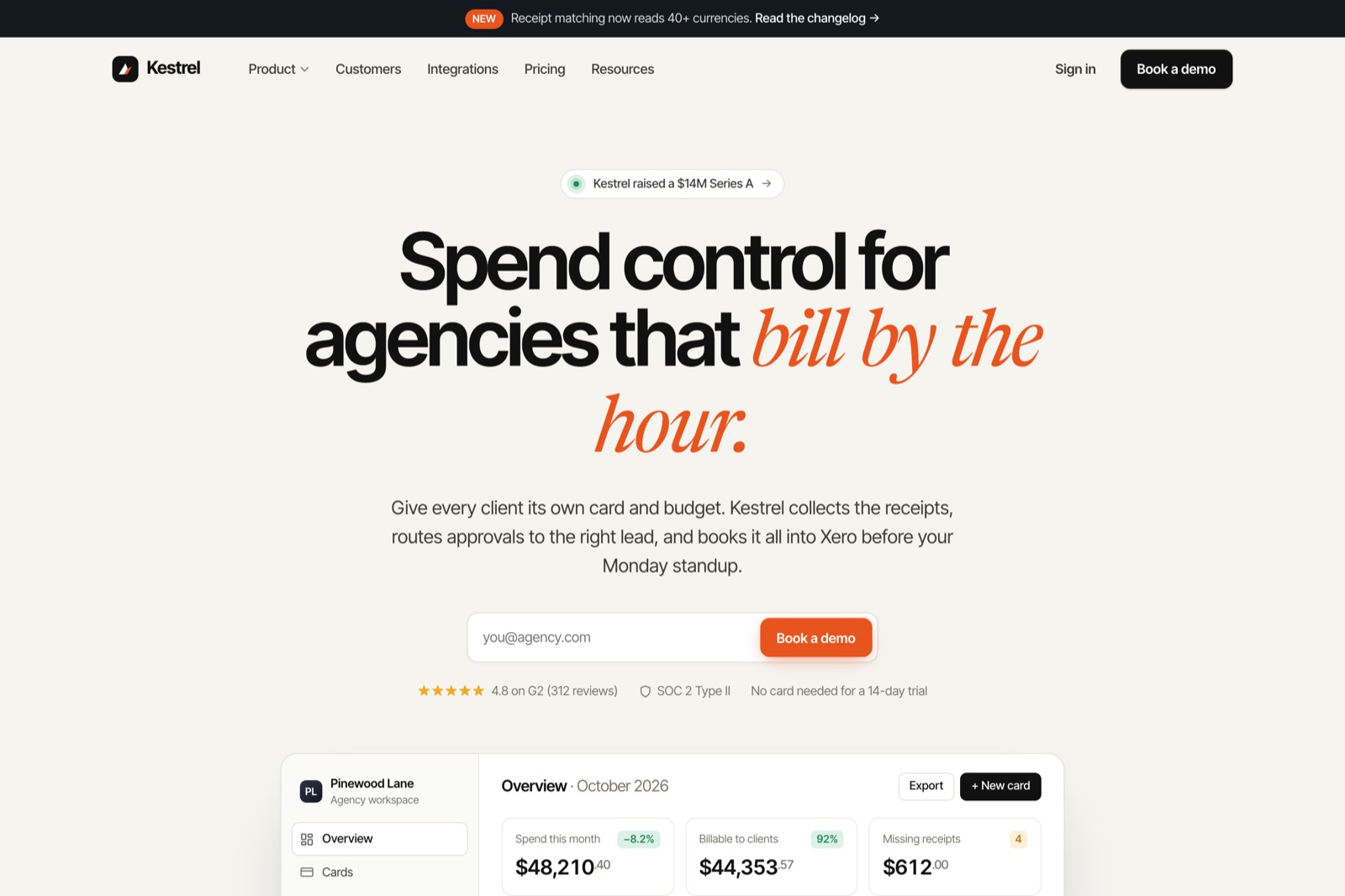
A product site that is mostly lists
Look at any fintech marketing site and most of it is a list: integrations, customer stories, articles. If each entry is a hand-built page, the content team files a ticket every time a new integration ships. If each one is a CMS item, they open the Editor, fill in six fields and publish.
Kestrel sells virtual cards, approval chains and receipt matching to agencies that bill clients by the hour. I wrote the product, the pricing and three customer stories myself, so the layout was designed around real sentences instead of lorem ipsum.
Kestrel is fictional. There is no client, and every figure on the site (the funding round, the review score, the agency count) is invented for the concept.
Warm paper, one loud orange
The page is bone-coloured, the text is near-black, and rust orange is mostly kept for what you can click or should notice. Headlines are Inter Tight with tight tracking. In each one a short phrase switches to Newsreader italic in rust, which gives the page a voice without needing illustrations. JetBrains Mono handles small labels and the receipt in the product tile.
Product UI built as page elements
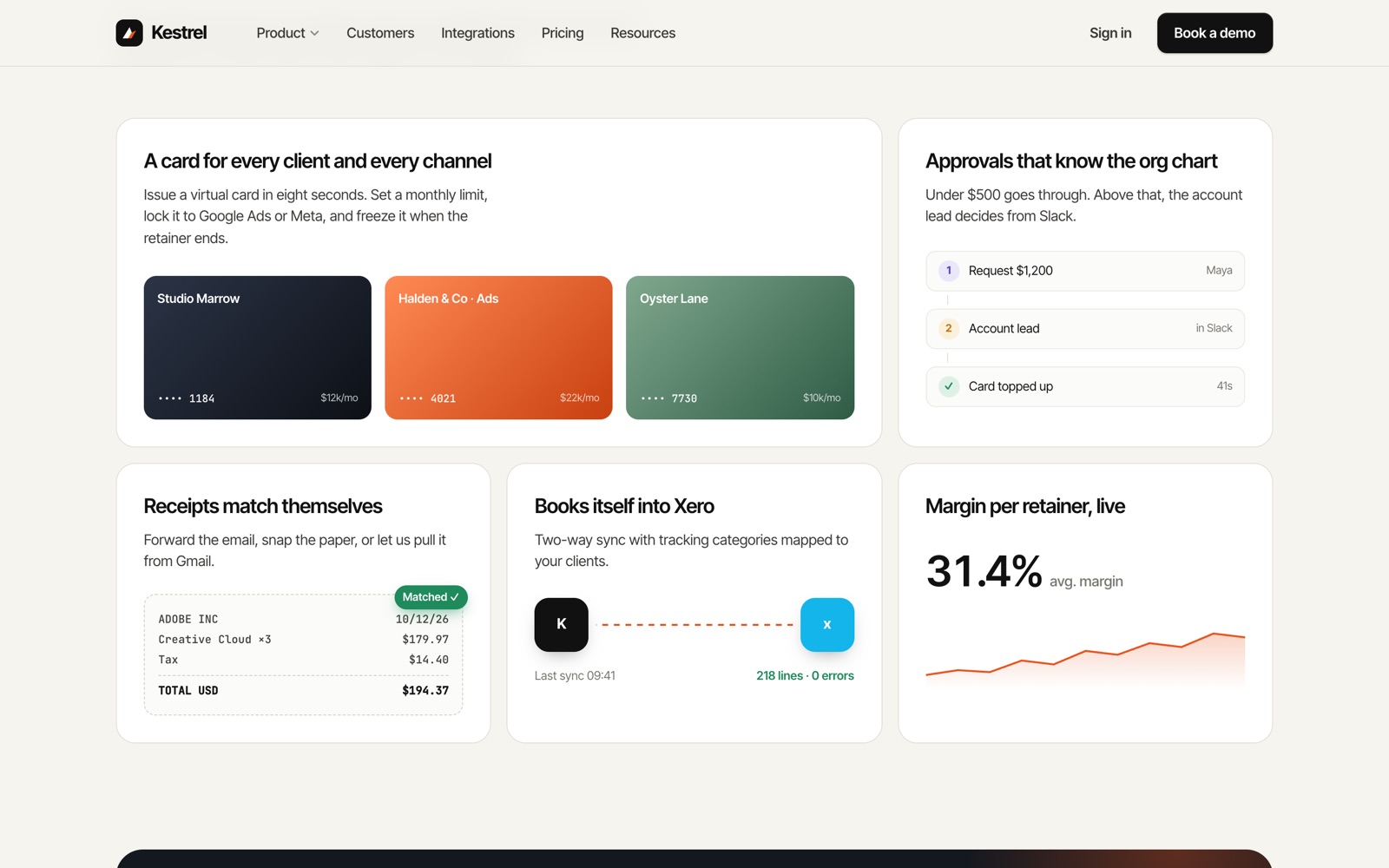
The dashboard in the hero and the tiles in the product section are real Webflow elements, not exported screenshots. They resize with the page, the budget bars fill as they scroll into view, and someone on the content team can change a figure without opening a design file.
Each tile answers one job: a card per client, approvals by amount, receipts that match themselves, accounting sync, margin per retainer.
Three collections run the repeating parts
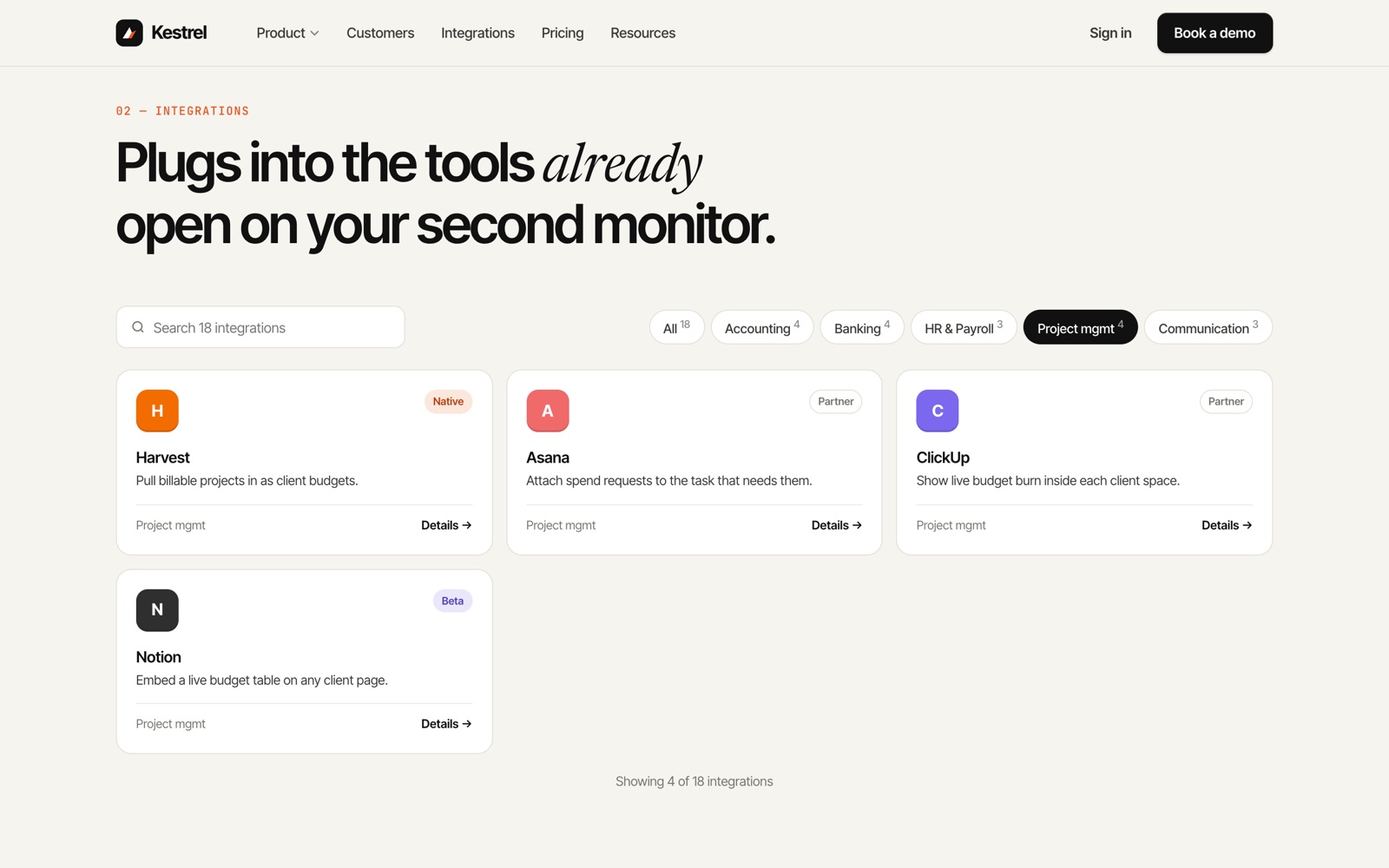
Integrations, customer stories and blog posts are CMS collections, each with its own template page. To add an integration, the editor fills in a name, category, one-line summary, badge, brand colour and initial. The card, its detail page and the category filter pick it up from there.
Visitors can search and filter by category on the home page, and the two work together: typing a name while a category chip is on narrows the list inside that category.
Motion that explains, then gets out of the way
Sections fade up 24 px as they enter the viewport and section headings reveal line by line. The footer wordmark rises as you reach the bottom, and the main call to action leans a few pixels toward the cursor. FAQ answers open with a height animation and work from the keyboard. Scroll reveals, split-line headings, the magnetic button and the accordions are all Webflow Interactions.
For visitors who set reduced motion in their system, the reveals jump straight to their finished state.
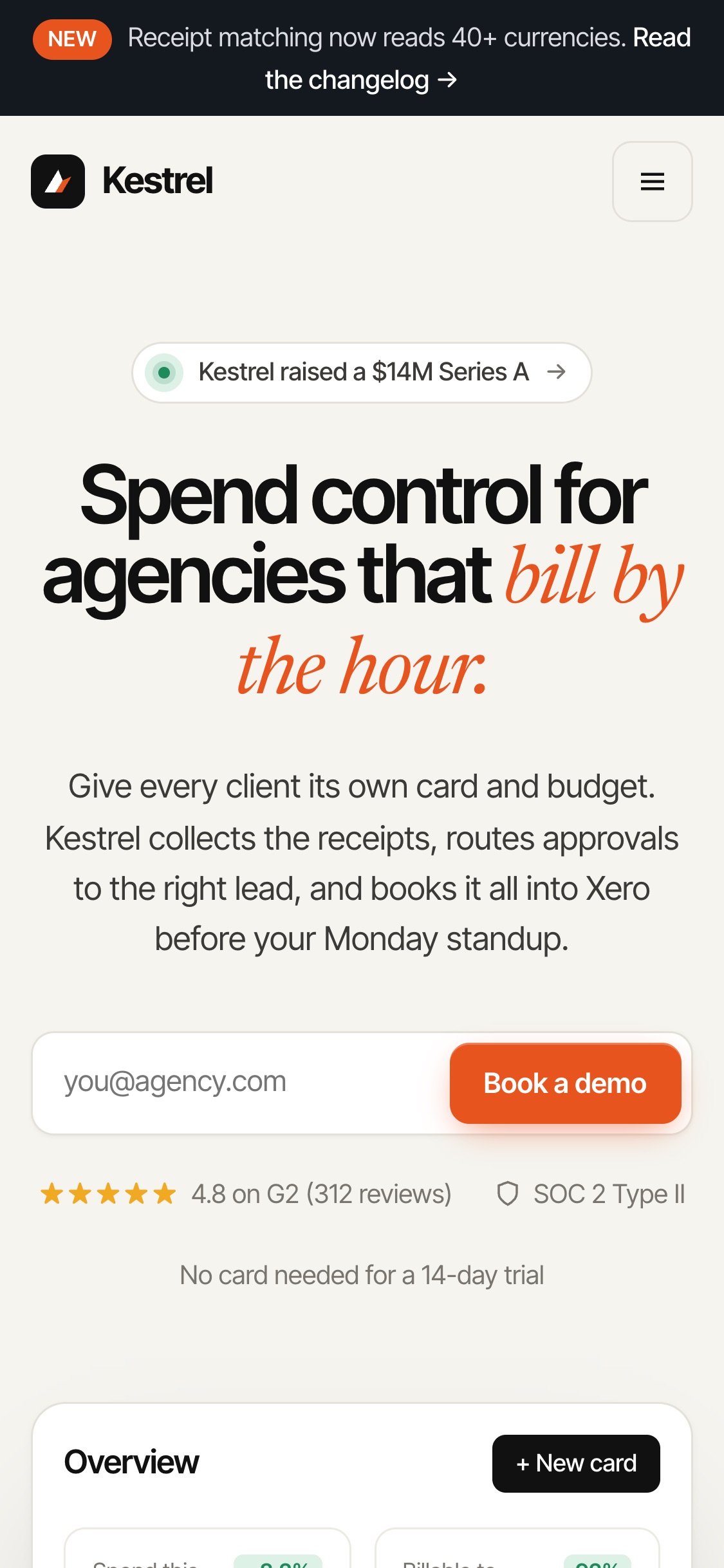
Checked at 1440 and at 375
Before every publish I ran a script against the live site in headless Chrome at desktop and phone width. It confirms that scroll reveals actually finish (44 reveal targets appeared on scroll, including after filtering), that FAQ answers open by click and by keyboard, that search and category chips combine, and that pressing Enter in the search box submits nothing. No page scrolls sideways at either width.
That testing caught a real bug. On a phone, the second and third blog cards weren't done animating by the time they scrolled into view. Each card now has its own trigger instead of the grid sharing one.
What I'd build differently
The plan I built this on doesn't allow site-wide custom code, so the category filter, the pricing toggle, the mobile menu and the FAQ state live in Code Embeds on each page. They work and they're fast, but an editor can't change them in the Designer. Built again, I'd use native Webflow parts instead: Tabs for the toggles and filters, a Navbar for the menu, Interactions for the FAQ.
See it working
The site is live. Filter the integrations, open a customer story, toggle the pricing.
Open the live site ↗